21.05.2026
marble work is here – your new time tracking for projects & work hours
- Latest news
- Updates
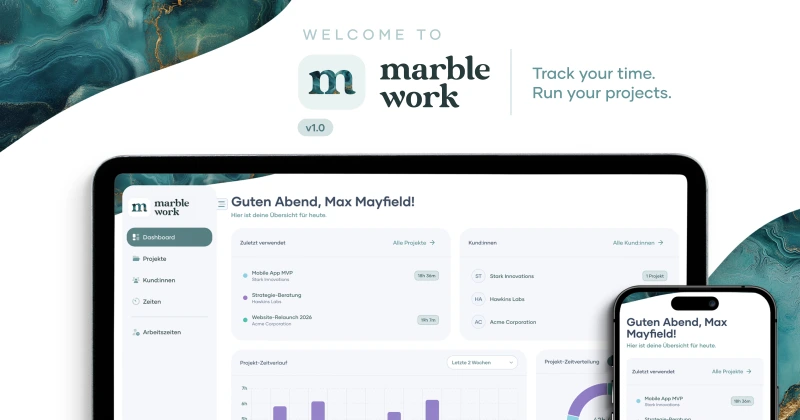
We're thrilled to announce: marble work v1.0 is officially live 🎉
Learn more
Project time. Work time. One tool.
Most tools handle either project time or work time. marble work does both – in one interface, without workarounds, without double data entry. For freelancers, agencies and small businesses that need time tracking that truly thinks ahead.
imu Augsburg

Budde Riding Stable

PDF export & branding
Create professional time reports for your clients – with your logo, your accent color, and a custom footer. Your tool, your look. Export as CSV or Excel, too.
Timer & manual entries
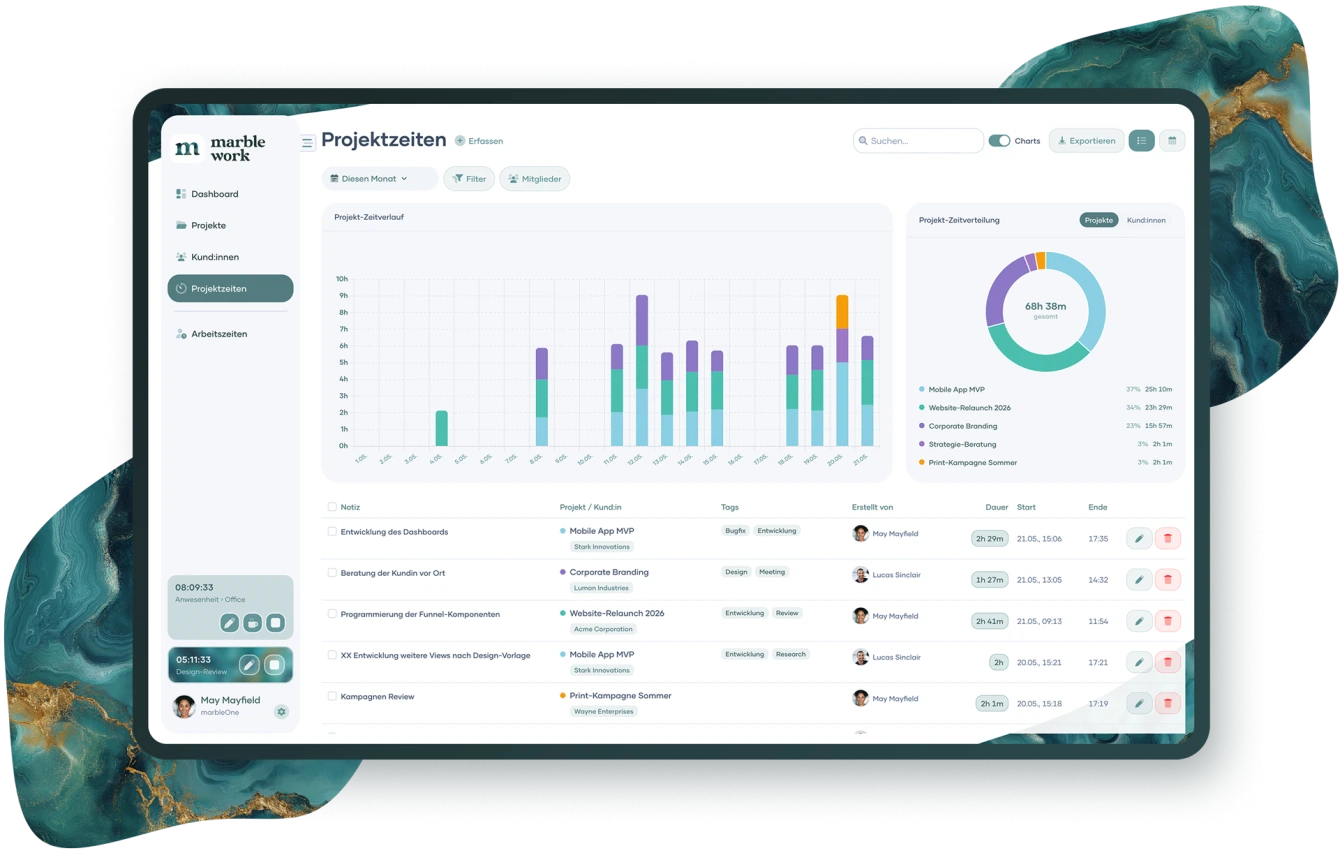
Start the timer with one click or add time entries after the fact. Tag entries with your own labels and stay on top of things – with descriptions and full-text search.
Projects & clients
Create unlimited projects and clients, set individual hourly rates and additional details. Break complex jobs into subtasks and instantly see the current status of your work.
Work hours & attendance
Track start times, breaks, and end of day independently from project time. With attendance types like office, remote, vacation, or sick leave – fully configurable and export-ready for accountants or HR.
Reports & dashboard
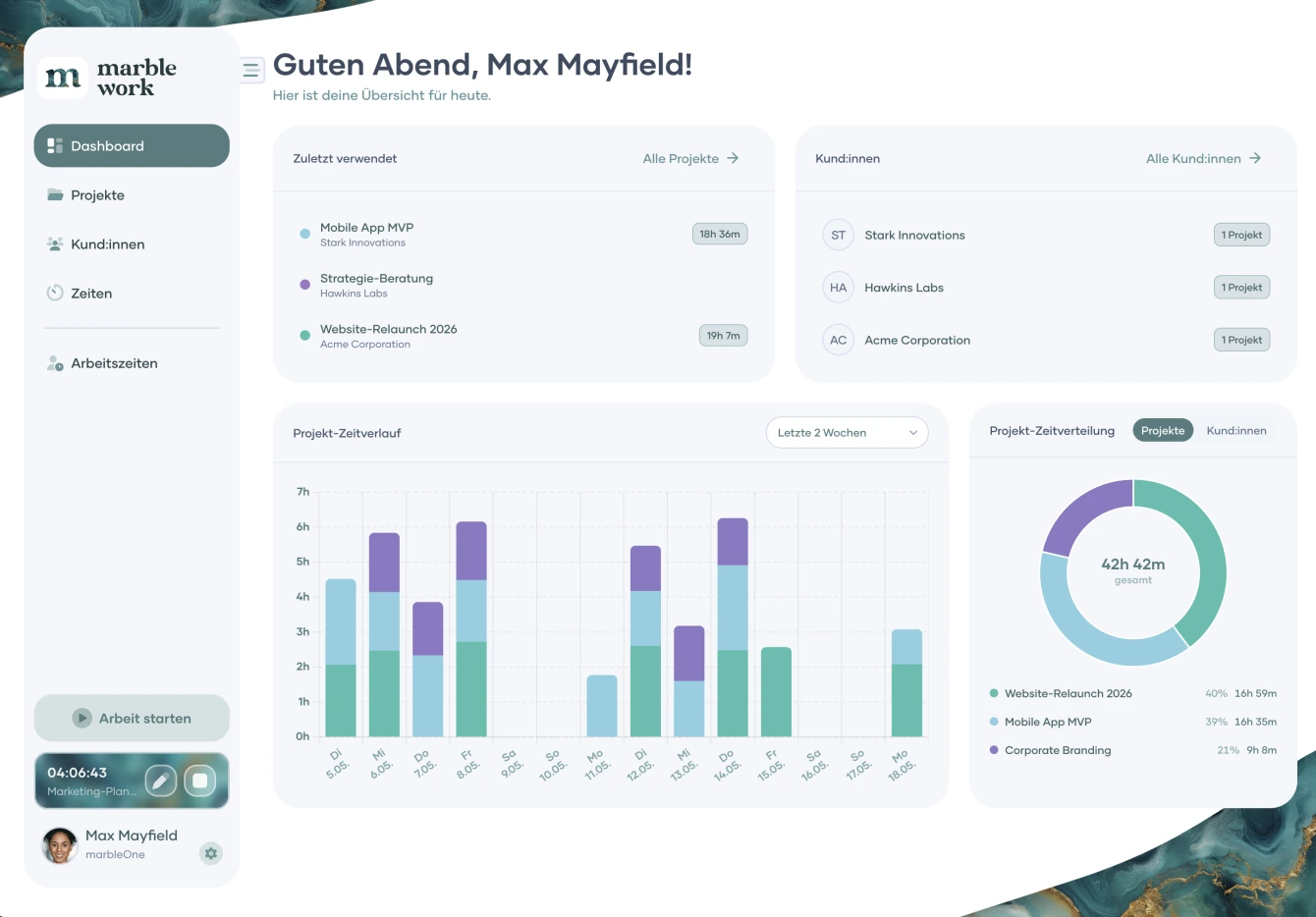
See at a glance where your time goes. Interactive charts, flexible date ranges, and team reports show you exactly what matters – without bloated reporting.
Team & collaboration
Invite your team via email, define roles and permissions, and keep all team members' time entries in one shared overview. marble work scales with you – from solo to large teams
Two worlds, one workflow
Most time tracking tools force you to choose: either you track project time for client billing – or you record work time for payroll. marble work puts an end to this either-or.
Track project time with a timer or manually, assign it to clients and tasks, and generate reports for invoicing. At the same time, you document work hours, breaks and attendance – in the same app, without media breaks, without double data entry.
marble work becomes the central time tracking software for your entire team: whether a freelancer with three clients or an agency with twenty employees.
marble work Subscription
With the Free plan you can use marble work free of charge forever – perfect for getting started. The Pro plan unlocks the full potential for you and your team.
Monthly
Yearly (Save 20%)
€0
€0
/ Month
excl. VAT
Features
View features
€10
+ €5 for each additional memberi
€8
+ €4 for each additional memberi
/ Month
excl. VAT
Features
View features
Help Center
In the Help Center you'll find everything you need to use marble work effectively. Browse FAQs and helpful tips to get the most out of your time tracking.
Subscription
What sets marble work apart from other time tracking tools?
marble work is one of the few time tracking apps that combines project time tracking and work hour tracking in one interface – with a modern, intuitive UI that you'll understand in five minutes. On top of that, a transparent pricing structure that's significantly more affordable than comparable tools on the market. No workarounds, no double data entry, no hidden costs.
Subscription
Can I use marble work for free?
Yes! The Free plan of marble work is permanently free – without time limit and without a credit card. You can use the core time tracking features and get to know marble work at your own pace. When you need more, simply upgrade to Pro.
Subscription
Is my data stored securely and GDPR-compliant?
Yes. marble work is hosted in Germany and is fully GDPR-compliant. Your data belongs to you and will never be passed on to third parties.
App
What types of reports does marble work offer?
The dashboard shows you at a glance which projects are active and how much time has been logged. On top of that, time trend charts across days, weeks, or months, and an interactive time distribution by project and client. All reports can be filtered by flexible date ranges and exported as CSV, Excel or PDF.
App
Does marble work support multiple languages?
Yes. marble work is available in English, German, and Spanish – ideal for international teams and clients.
App
Does marble work work on smartphones too?
Yes. marble work is fully responsive and runs directly in your browser on any device – no app download required. Whether you're using a desktop, tablet, or smartphone, the interface adjusts automatically. marble work is also available as an iOS and Android app.
Branding
How adaptable is marble work to my company's corporate design?
marble work adapts to your brand – not the other way around. Set your accent color and it carries through the entire interface. Rename projects, clients, and tasks to match your industry: a law firm calls them "matters" and "mandates," an agency calls them "jobs" and "brands." Time reports and exports carry your custom footer text – professional and ready to send.
Support
Does marble work offer onboarding or tutorials?
Yes, you can contact our sales team at any time and book a one-time free onboarding for marble work! This usually takes a maximum of 1 hours and shows you everything you need to know for efficient time tracking. In our Help Center, you will later also find video tutorials created by our team, in which you can get to know all the important functions of marble work step by step. Until then, you can search for answers in our FAQ section in the Help Center or contact our support team.


Customisation & branding
marble work adapts to your brand – not the other way around. Set your accent colour and it runs through the entire interface. Name projects, clients and tasks the way your industry does: a law firm calls them "mandates" and "clients", an agency "jobs" and "brands". Time reports carry your individual footer text – professional and ready to send to your clients.
News & Guides
Discover how you can use marble work even more efficiently and optimize your time tracking. Stay up to date with the latest news and information.